
What is inside
Four layers, one product. Each layer can be explained in one sentence — here they are.
What is yours and what is ours
You bring
TeleHub Software only, no channels or content. On our servers or yours.
The subscriber
* How many restreamers you need depends on your network topology.
- 1
Streaming server
Takes channels in over HLS, UDP, multicast or from a DVB-S tuner, transcodes where needed, records the archive. Serves devices over HLS, or multicast inside an access network.
- 2
Middleware
Channels, packages, EPG, archive, catch-up, VoD catalogue, per-subscriber entitlements. This is the brain — the devices only draw what it tells them.
- 3
Admin portal
Web panel for the operator: subscribers, devices, statistics, billing, firmware. Multilingual. Roles and permissions for staff.
- 4
Clients
Our TH300 (Linux) and TH300A (Android TV) boxes, apps for Android TV and LG webOS, Samsung Tizen in development. All self-configure on first boot.
This is what running it looks like
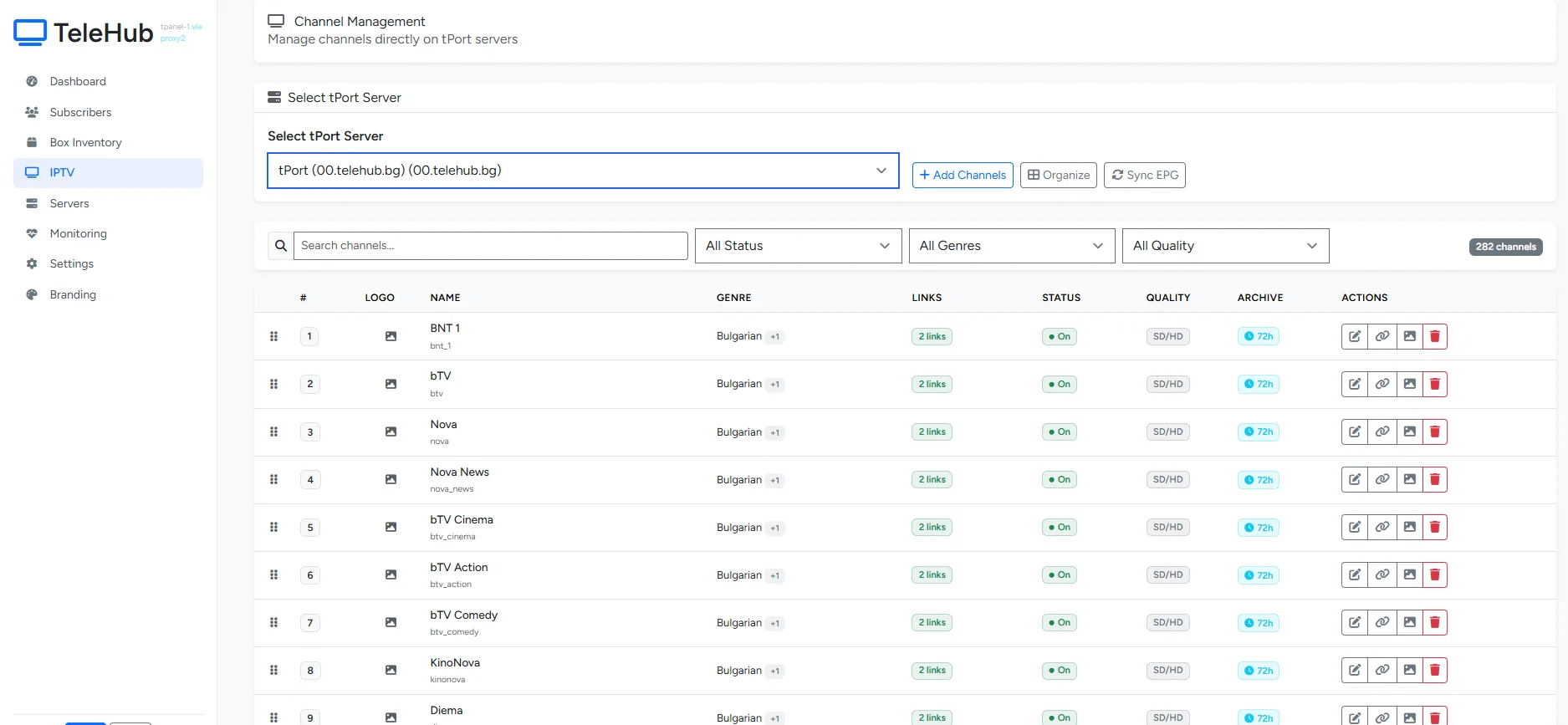

Three ways to run it
| Feature | Shared cloud | Dedicated cloud | On your servers |
|---|---|---|---|
| Suited to | Up to a few hundred subscribers, hotels | Growing operators | Operators with their own DC and multicast |
| Who runs the servers | We do | We do | You do, with our help |
| Own IP and domain | |||
| Multicast in the access network | |||
| Docker install | — | — | |
| Time to launch | Days | Days | Weeks |
Four steps to the first channel
Install
On the cloud options — we do it. On-premise — a guided Docker installer that brings up streaming, middleware and admin on one machine or several.
Channels and rights
Import the sources (HLS, UDP, multicast, DVB-S), arrange them into packages, switch on archive with one click. EPG is pulled automatically where available.
Devices
Boxes register by MAC address, apps by QR code. First boot picks up settings and portal from the admin. No per-device configuration.
Subscribers
Create packages and prices; billing is built in or connected to yours over the API. From here on, the daily work is in the admin, not in a terminal.
The list, in one place
Live TV and archive
Archive up to 14 days per channel, catch-up, live pause. Set per channel.
Packages and entitlements
Channel groups, priced packages, access by region, service tier or room.
Devices
Remote firmware, reboot, portal change, connection statistics. Per device or fleet-wide.
Multilingual UI
Bulgarian, English and more — on the device and in the admin. Set per subscriber or per room.
Statistics and billing
Viewing by channel, active devices, invoices. Built in, or over the API to your system.
Access and security
Per-device and per-subscriber authentication, staff roles, encrypted streams to clients.
Monitoring
CPU, memory, disk and network load for every server, in real time. Alerts when something goes wrong.
Migration
Import of subscribers and channels from another platform. We have done it; bring the export.
Want to see it running?
The demo platform is a real installation with real channels. Request access and look around yourself.