
In-room television, managed from one panel
You do not have subscribers, you have rooms. Reception enters the guest's name and the TV welcomes them in their language. The guest orders from the room and sees their bill, and at checkout everything is wiped for the next guest.
What the guest sees on the TV
A welcome by name
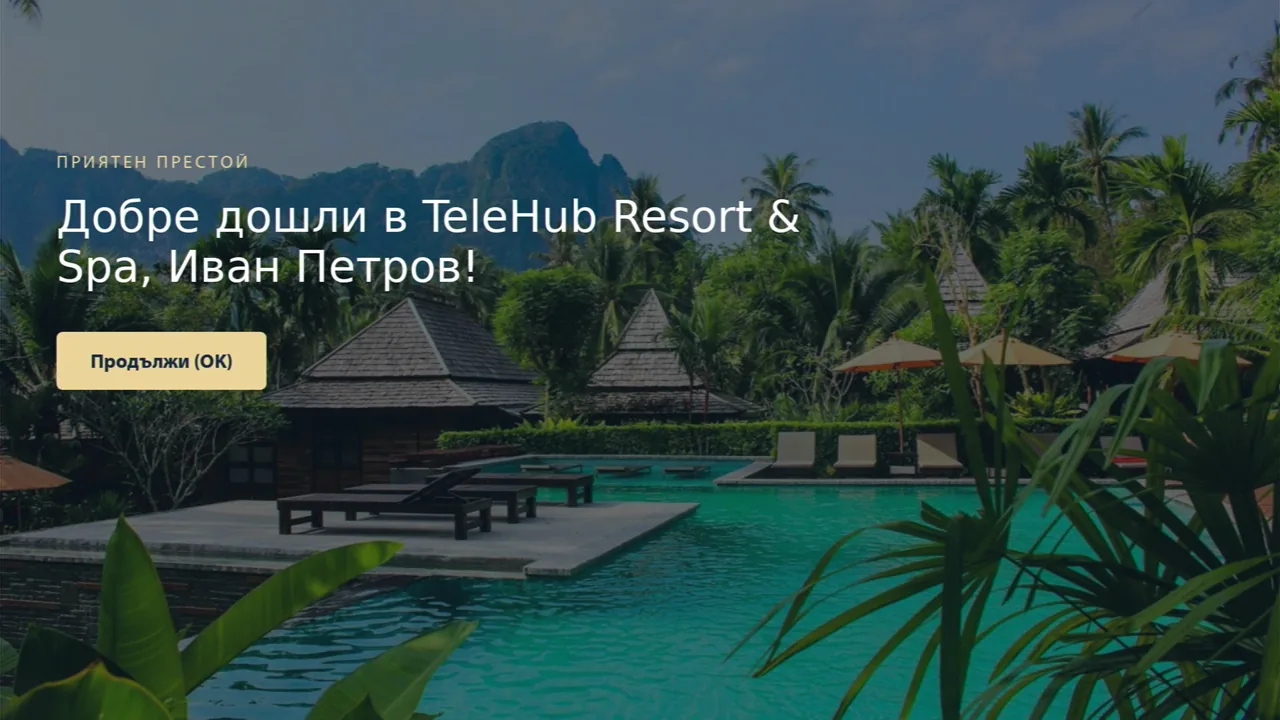
After check-in the TV greets the guest by name, with the hotel's own text, in the guest's language. It appears once per stay.
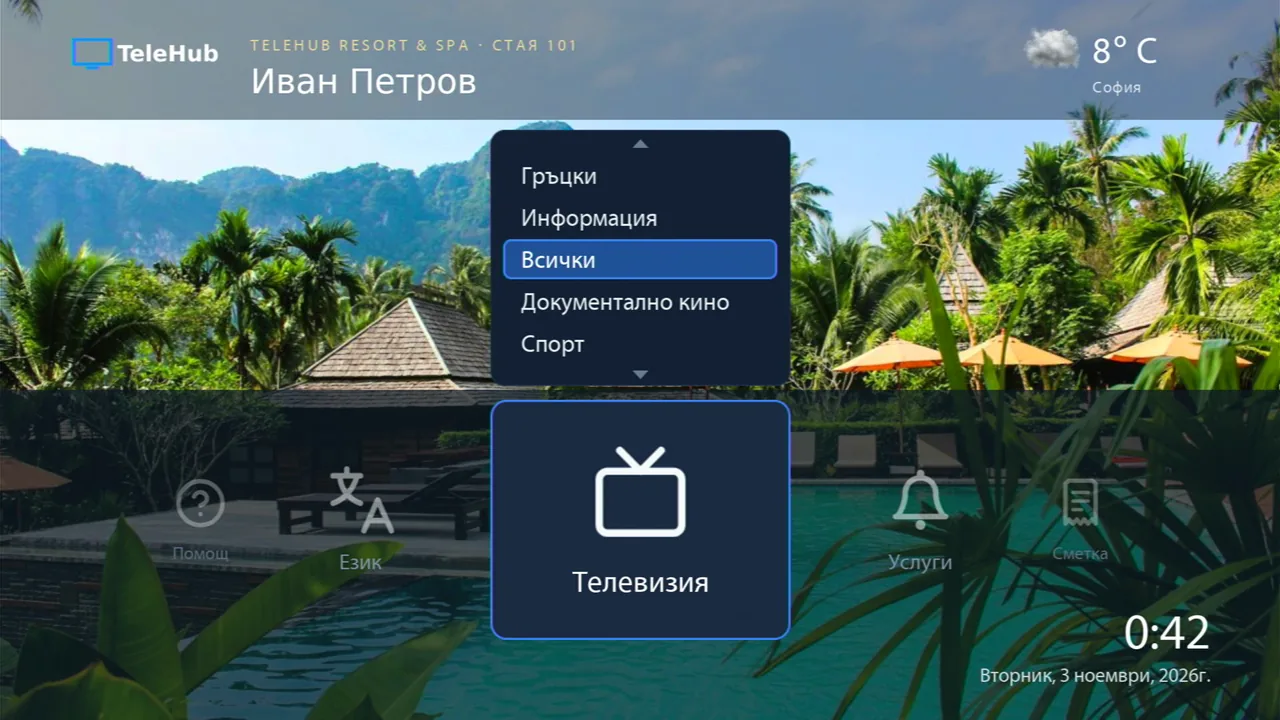
The hotel's home screen
The hotel's name and logo, the room number, the time and the weather, photos of the hotel in the background and, if the hotel wants, quiet music. The hotel arranges the tiles itself.
Full television
All channels, archive and recording, as with TeleHub at home. The hotel can also use its own channel sources; recording equipment on site is quoted separately.
Hotel information
Pages with photos: Wi-Fi, restaurant, spa, house rules, things to see nearby.
News and offers
The hotel's news and offers, plus messages from reception to one room or to all of them.
The guest's language
Eleven languages, chosen per guest, not per room. If the hotel has no text in the guest's language, the TV shows the hotel's default language (usually English).
A clean room for every guest
At checkout the TV resets: name, favourite channels, history, orders and bill are gone. The next guest starts clean.
When the room is empty
The hotel chooses: the TV keeps working with a generic greeting (the default) or shows only a hotel screen, with no channels.
The guest orders from the TV
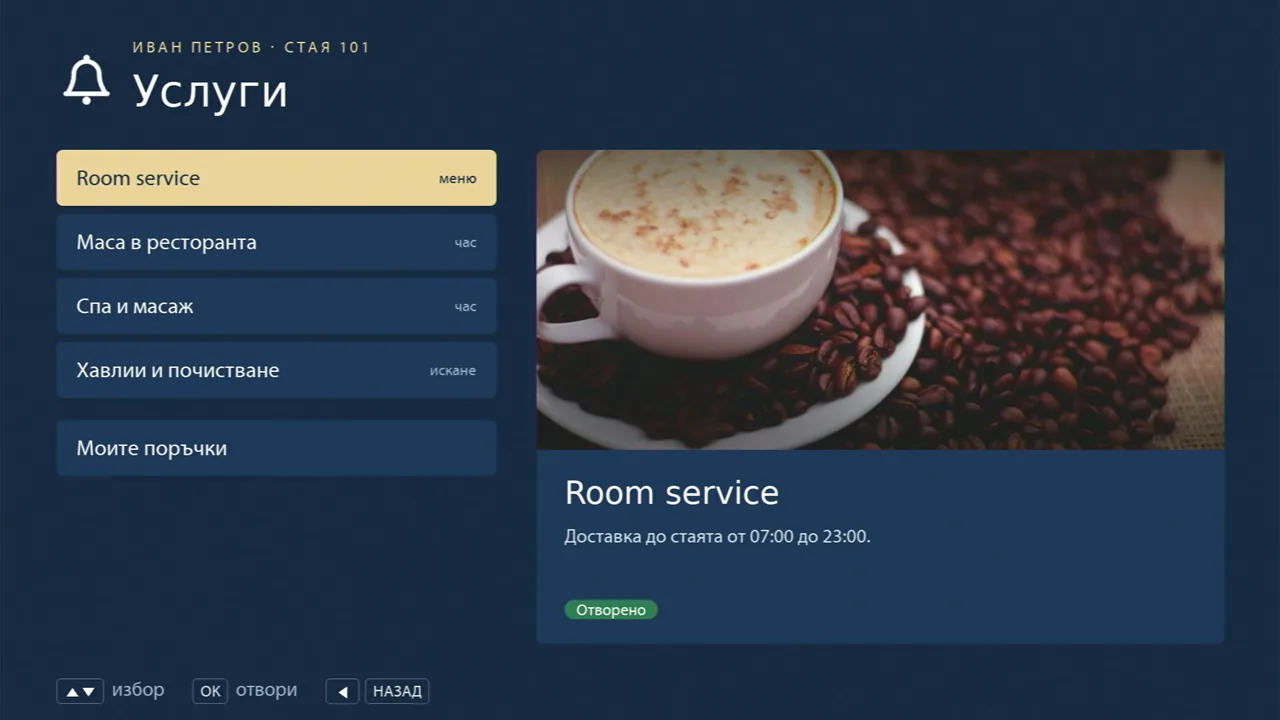
The hotel creates its own services. There are three kinds, and each request reaches the staff panel at once.
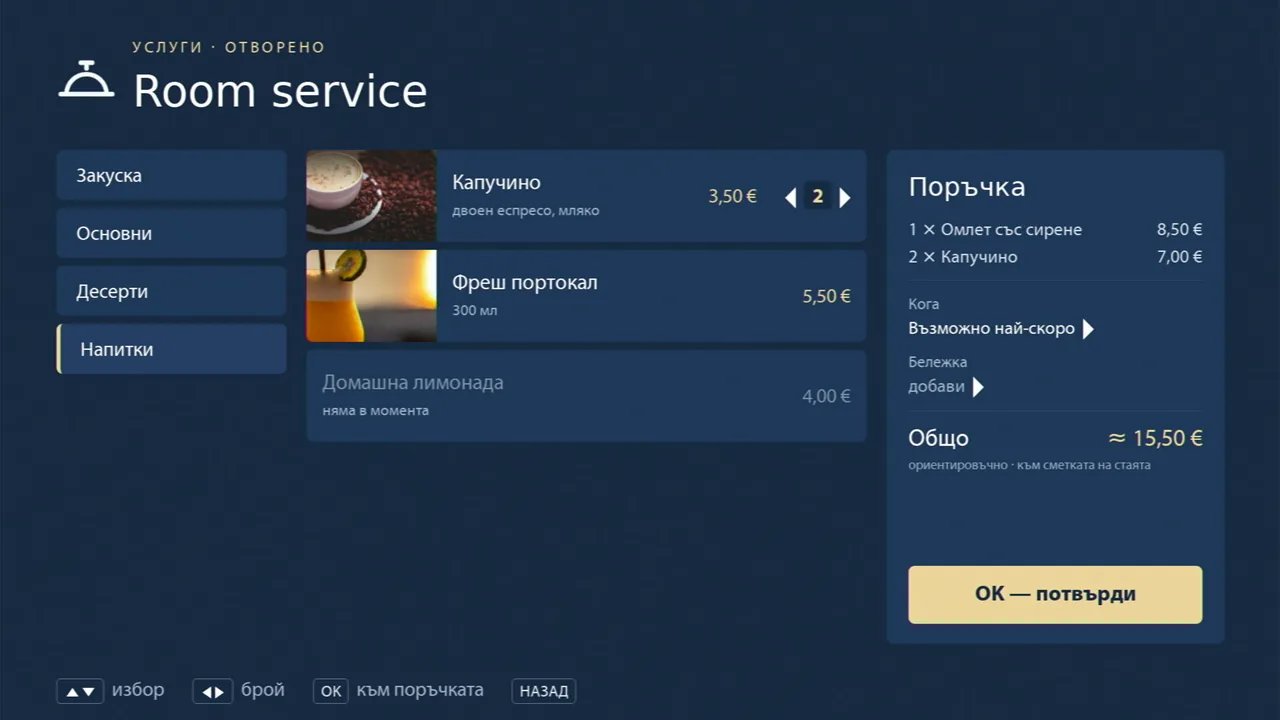
Menu with a basket
Room service, minibar, laundry. Categories, photos, prices, quantities, a note, a preferred time.
Booking a time
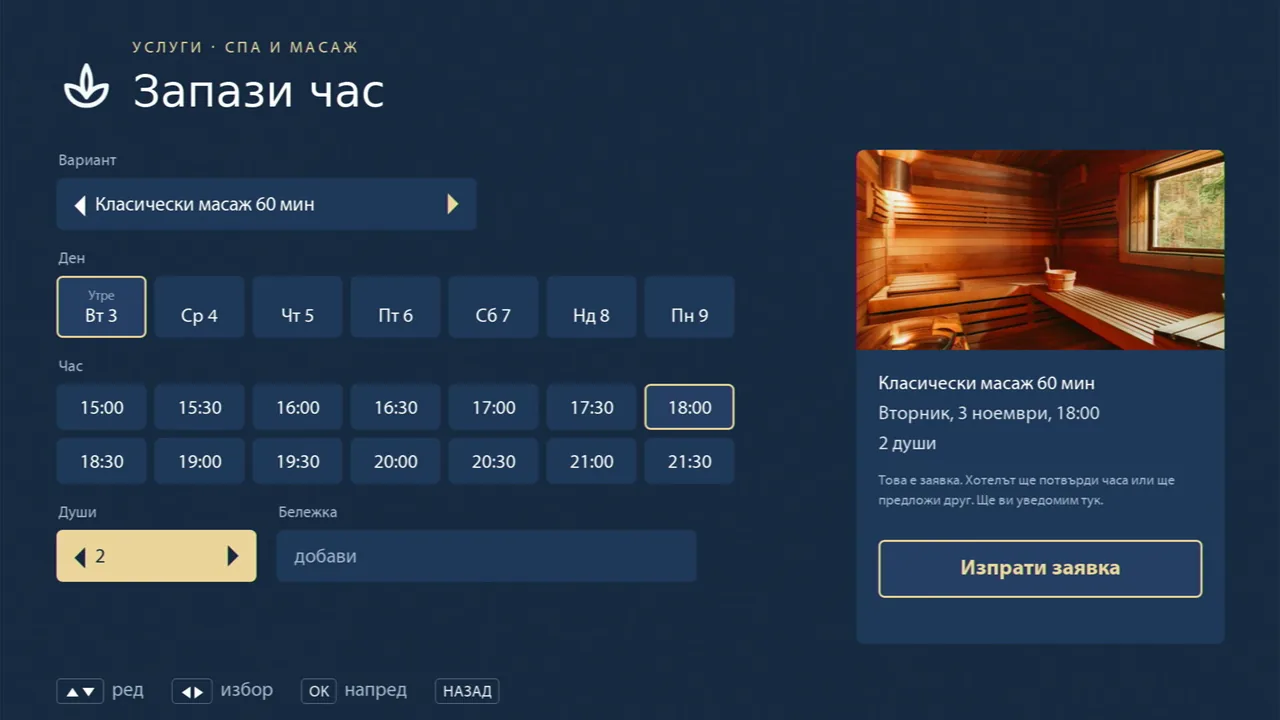
Spa, massage, a table in the restaurant, a meeting room. The guest sees only the times that are really free within opening hours; the hotel confirms or suggests another time.
Quick request
Towels, cleaning, a wake-up call, a taxi. One press.
My orders
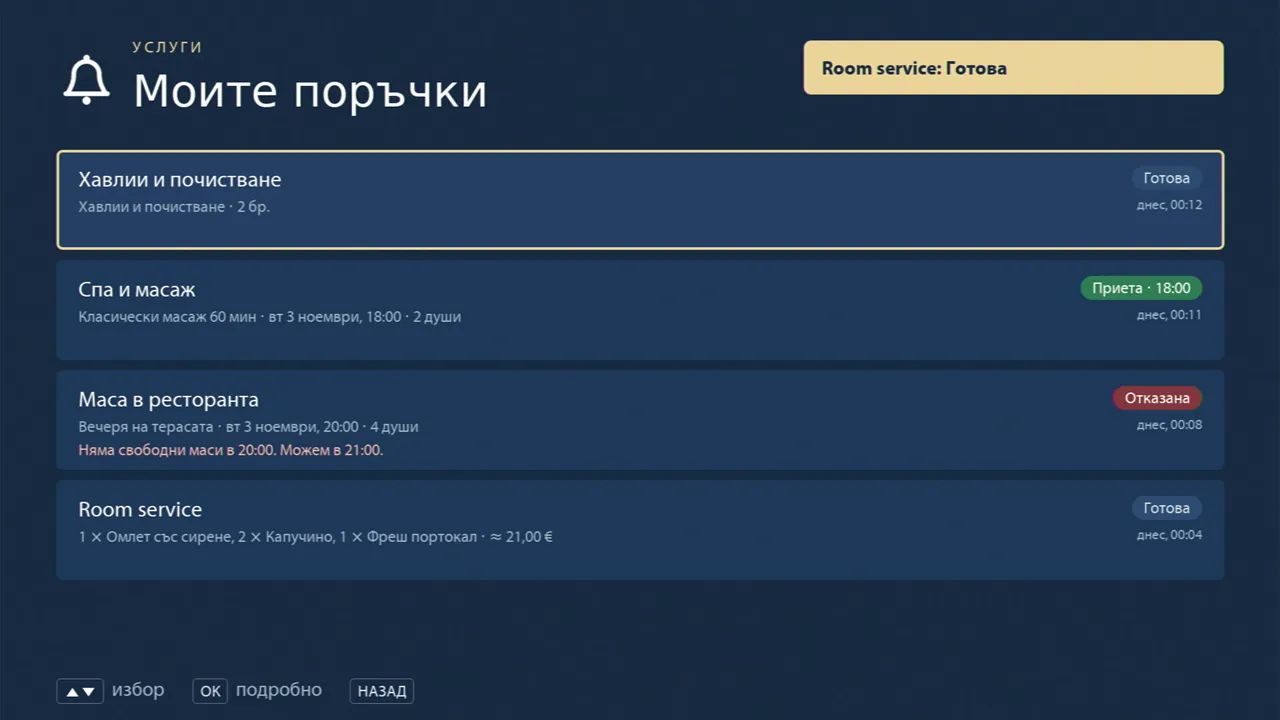
The guest sees what they ordered and how far it has got: sending, accepted (with the time it will be ready by), ready, declined with a reason. Every change shows a short notice on the TV, even while the guest is watching a channel.
The room bill
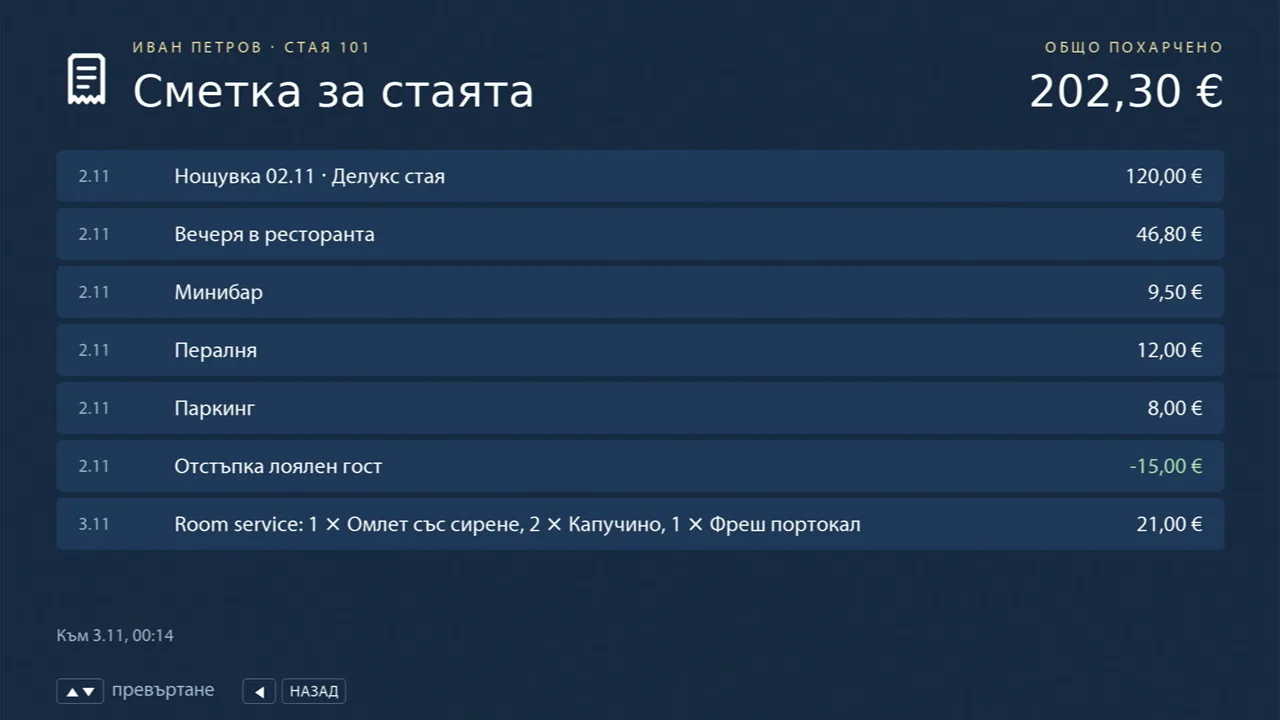
The separate amounts (nights, restaurant, spa, discounts) and the total spent, without a trip to reception.
The hotel advertises its own services
L-banner while watching
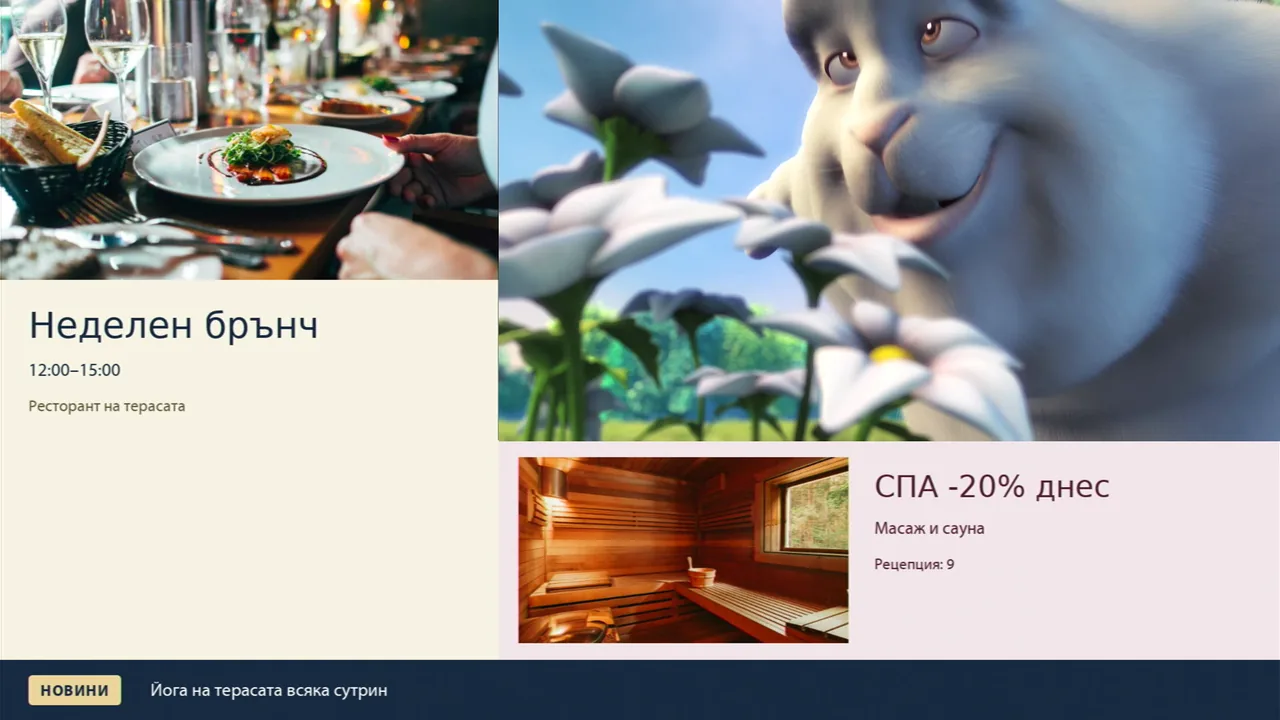
The channel picture shrinks into a corner and the hotel's adverts appear around it, with a strip of hotel news below. The hotel sets when, how often and for how long. The adverts follow a schedule: breakfast in the morning, the restaurant in the evening.
An advert at a set time
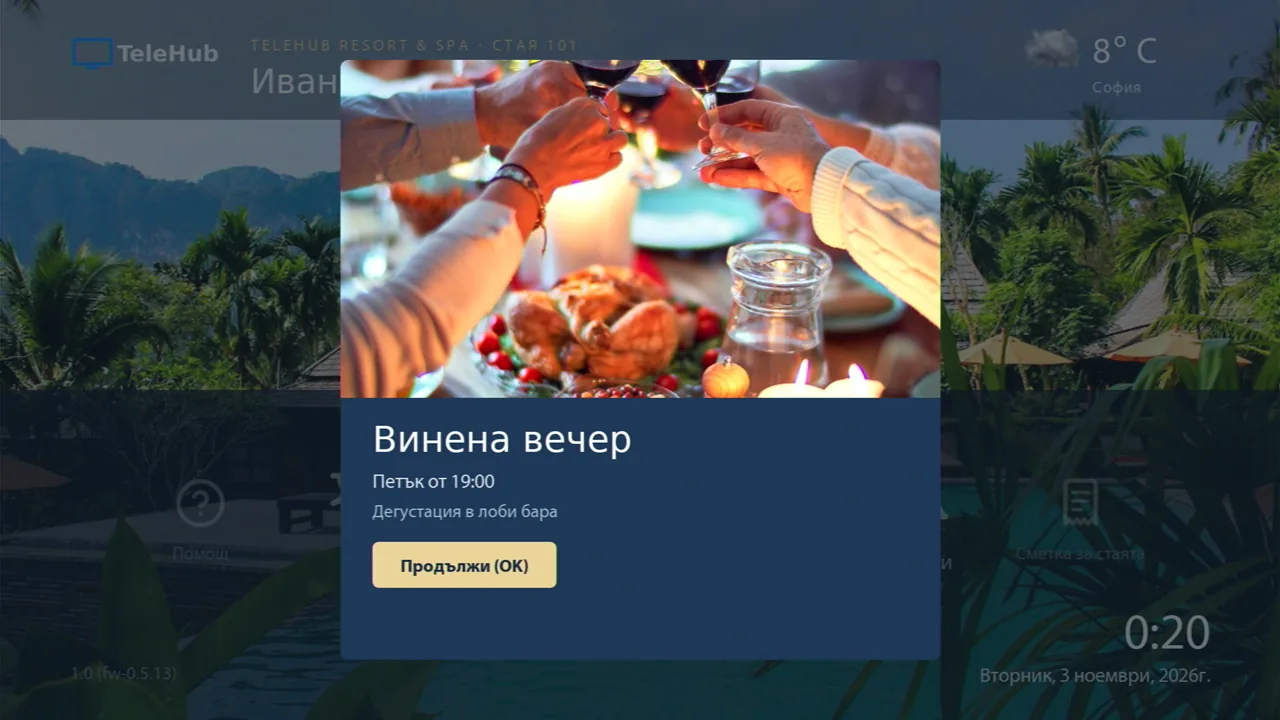
An offer released at a set time (say Friday and Saturday at 20:00) reaches every TV in the hotel: as an L-banner if the guest is watching a channel, or as a pop-up card if they are in the menu.
Statistics
How many times each advert was shown, and on how many TVs.
The hotel's panel
Orders arrive at once
Staff accept them, decline them or mark them ready, and the guest sees it on the TV.
Rooms by floor
Each room is a card, grouped by floor, coloured by its state: occupied, free, TV offline, always on. The card shows the guest, the language, the departure date and the device status. From it: a message to the room, a TV restart.
Check-in at reception
Reception enters the guest's name and language. A new name replaces the old one, and that is the checkout. A departure date is optional; if it is set, the room resets itself at 12:00 on that day.
No technician needed
The hotel manages its services, menus, prices, opening hours, adverts, pages and texts itself.
Staff with roles
The hotel defines the roles itself (reception, spa, restaurant…), with a separate login for staff.
The channels
The same channel, package and stream management our IPTV operators have. The hotel sees only its own hotel, nothing technical; one provider can serve several hotels from one platform.
What it runs on
Now
The full modern interface: everything described on this page.
Third-party receivers (MAG/Stalker) work in a simplified mode: channels, the guest's name, messages. No receiver replacement.
Later
Our Android TV app adapted for hotels: it runs on the TV itself, with no box.
The hotel (or we) enters the boxes in the panel and assigns each one a room number. After that the box always knows its room.
The channels and the rights to show them in rooms are provided by the hotel or its TV provider; TeleHub provides the technical platform.
An individual offer for each hotel
We agree the number of rooms and of shared devices: a TV in the lobby, several screens, tablets in the lifts. The price is fixed, monthly or yearly; after that we do not count devices.
The look and the features can be customised to the hotel's wishes.
Customisation is quoted separately, as is installation on site.
Coming soon
- Soon
Video library and information channels
A video library of the hotel's clips, and information channels for the lobby, the gym and the lift, on screens that show only them.
- Soon
Orders from the guest's phone
Through a QR code: a web page, with no app to install.
- Soon
Staff notifications in Telegram
New requests arrive in Telegram too.
- Soon
A link to the hotel system
Integration with hotel systems (PMS).
Further ahead
Directions we are developing the system in, with no promised dates: switching the TV on and off and changing its input from the box (HDMI-CEC); chat between guest and staff; an AI receptionist.
Hospitals and care homes
The system is the same as for a hotel: rooms instead of subscribers, the panel, messages, information pages, orders. The hospital or care home creates and arranges the sections on the screen itself: ward information, visiting hours, menus. Runs on the existing televisions through a box fixed behind the screen.
- Ward information pages
- Messages to every room or to one
- A clean room for every new patient
How a rollout goes
A conversation
How many rooms and shared screens, what boxes and TVs the hotel has, and what TV service it uses now.
The offer
A fixed monthly or yearly price. Customisation and installation on site are quoted separately.
Setup
We create the hotel, enter the boxes by room, upload the photos and texts.
In operation
Reception works from the panel; the guests see the hotel on the TV.